Before you register or send money to an online casino in the Philippines, verify the exact website—not just the brand name or a PAGCOR logo shown on the page. The safest starting point is PAGCOR’s own verification service and regulatory lists.
This guide gives you a repeatable five-minute check. It cannot guarantee that you will never face an account dispute, but it can help you avoid obvious impostor domains and unsupported license claims.
Editorial method: GameRankPH reviewed current official regulator and public-agency sources, separated verified facts from practical advice, and did not use affiliate claims as evidence. Reviewed by the GameRankPH Editorial Review desk on 15 September 2026.
The quick answer
A PAGCOR-authorized online casino should appear under its current operator or registered brand on an official PAGCOR source, and the domain in that record should match the address in your browser exactly. If the name appears but the domain does not, stop and verify further.
| Check | What should match | Why it matters |
|---|---|---|
| Domain | Exact spelling and suffix | Look-alike URLs can impersonate a real brand |
| Operator | Company named in the official record | A brand name alone may not identify the license holder |
| Status | Current authorized listing | Old screenshots and certificates can be outdated |
| Age | 21+ notice for Philippine gaming | PAGCOR states gaming is for people aged 21 and above |
Step 1: Start from an official PAGCOR page
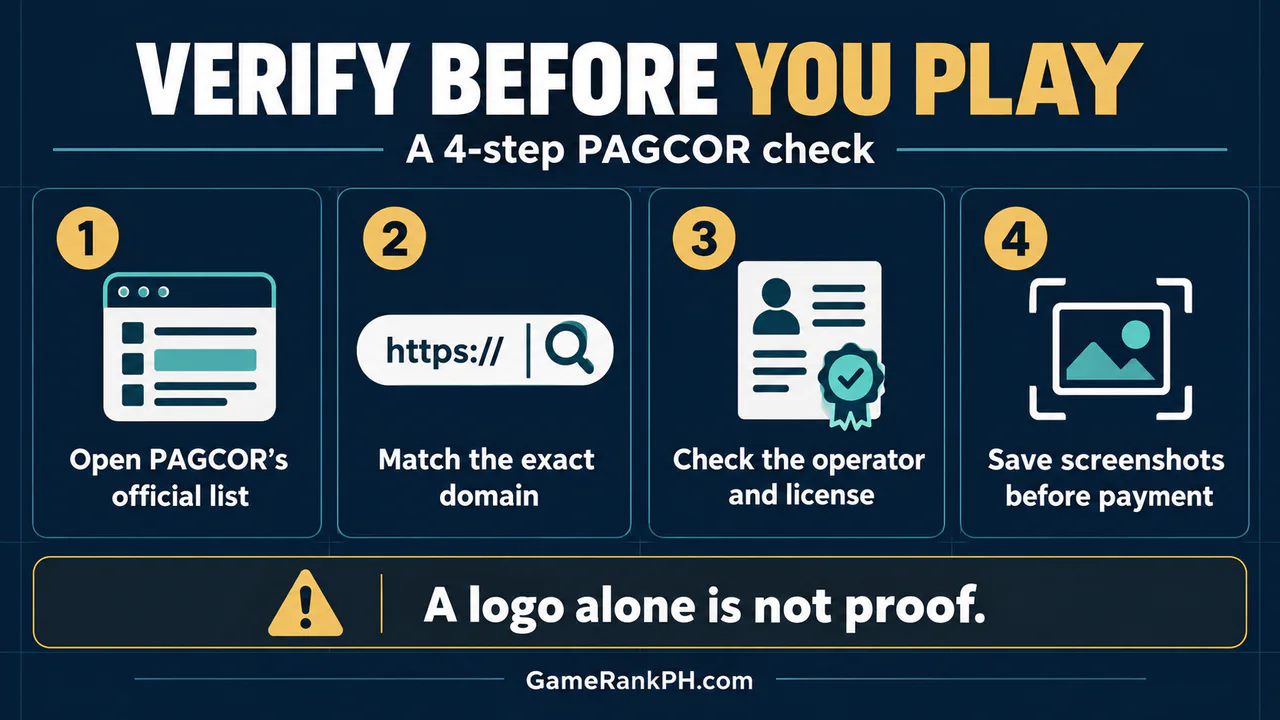
Type the PAGCOR address yourself or use a bookmark you created from the official site. PAGCOR launched PAGCOR Guarantee so the public can check whether an online gaming provider is licensed before playing or making a payment. Do not treat a forwarded image, QR code or “certificate” in a chat as the source of truth.
- Open PAGCOR Guarantee or PAGCOR’s regulatory website.
- Search for the platform or operator.
- Open the listed destination from the official record when that option is provided.
- Record the date of your check because lists can change.
Step 2: Match the full domain, character by character
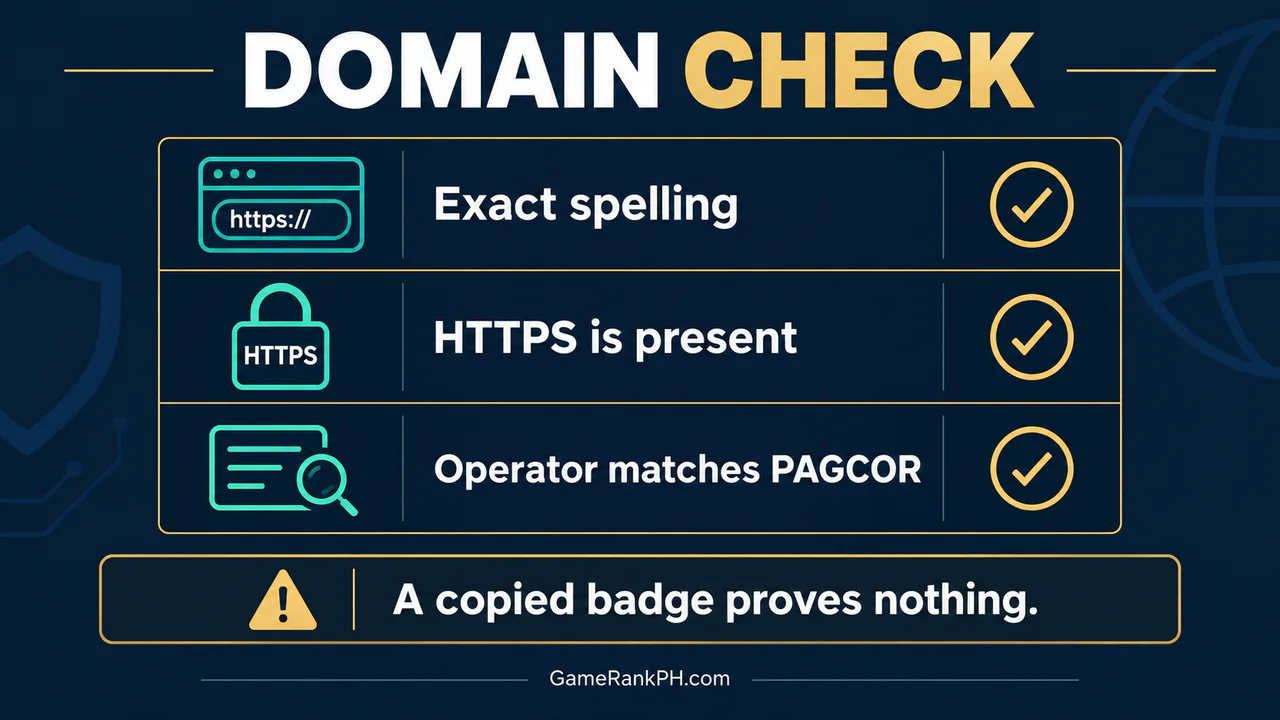
Scam domains often differ by one letter, a hyphen, an added word or a different ending. HTTPS only means the connection is encrypted; it does not prove that the operator is authorized. Compare the root domain shown in the address bar with the official record.
| Browser detail | Useful signal | Not enough by itself |
|---|---|---|
| HTTPS padlock | Traffic is encrypted | License or ownership |
| PAGCOR badge | May indicate a claimed relationship | Badges can be copied |
| Exact listed domain | Connects the site to the official record | Still check operator and current status |
Step 3: Match the operator and type of authorization
A company may hold authorization for one activity without being authorized for every website, product or offshore claim. PAGCOR has warned that all offshore gaming licenses and authorized-provider accreditations were cancelled effective 15 December 2024. A site claiming a current PAGCOR offshore gaming license should therefore be treated as unauthorized.
- Confirm the company name, not only the marketing brand.
- Check whether the record covers an online gaming platform.
- Do not assume a venue license covers a separate app or domain.
- Read our guide to PT Gaming in the Philippines only as product background, then repeat the same official-domain check before using any platform.
Step 4: Save evidence before you pay
Take screenshots of the official listing, the exact URL, the cashier terms and any support conversation. Save transaction IDs and timestamps. This record will be more useful than a cropped promotional image if you later need to explain a dispute.
- Do not share passwords, one-time passwords or recovery codes.
- Avoid APK files sent through private messages.
- Do not send money to a personal account merely because an agent says it is urgent.
- Leave if support pressures you to pay an extra “release” or “verification” fee.
GameRankPH verification rule
We separate three questions: Is the platform domain listed? Is the operator identified? Is the individual game or provider approved for that environment? Passing one question does not automatically answer the other two. For more site background, see GameRankPH’s Philippines gaming overview and our player FAQ.
Sources and update note
Checked 15 September 2026 against PAGCOR’s regulatory pages, PAGCOR Guarantee announcement and current public notices. Regulatory lists can change, so repeat the check on the day you intend to register or make a payment. This article is educational and is not legal advice or a promise of platform performance. Adults 21+ only.
Official sources
Related reading on GameRankPH
Responsible-use note: Online gambling involves financial risk. Never borrow to play, never chase losses, and stop if play is affecting your finances, work, sleep or relationships. GameRankPH does not guarantee winnings, withdrawals, licensing continuity or dispute outcomes.